
A beginner-friendly content management system built with Laravel 13, Filament 5, DaisyUI 5, and Lucide Icons. Designed as a learning resource and starter template for those new to Laravel or Filament. Works great with AI coding assistants like Claude Code.
- Admin Panel - Admin interface powered by Filament 5, with global search
- Content Management - Articles, categories, tags and nested pages
- Publishing Workflow - Drafts, scheduled publishing, private preview links and a trash with restore
- SEO - Meta title and description, Open Graph and Twitter cards, JSON-LD, XML sitemap, RSS feed, and 301 redirects when a slug changes
- Search - Search across the title, excerpt and text of published articles (title matches rank first)
- Media Library - Manage uploaded images with Spatie Media Library
- Analytics Dashboard - Track article views with charts and statistics
- User Roles - Admin and Editor roles with ownership-based permissions
- Frontend - Typographic "topic covers" in each category's color, light and dark themes, built with DaisyUI 5, Tailwind CSS 4 and Lucide Icons
|
Homepage 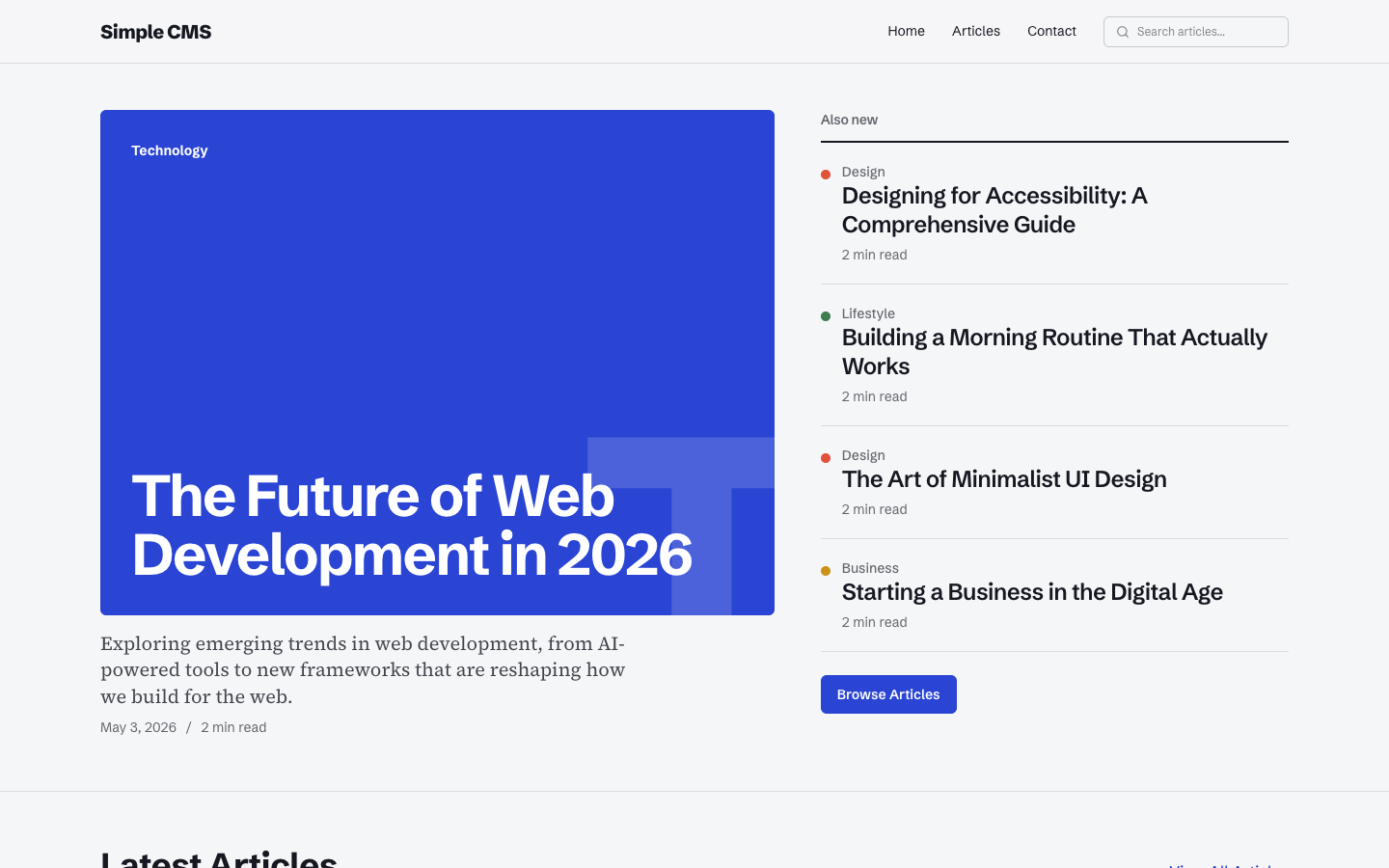
|
Admin Panel 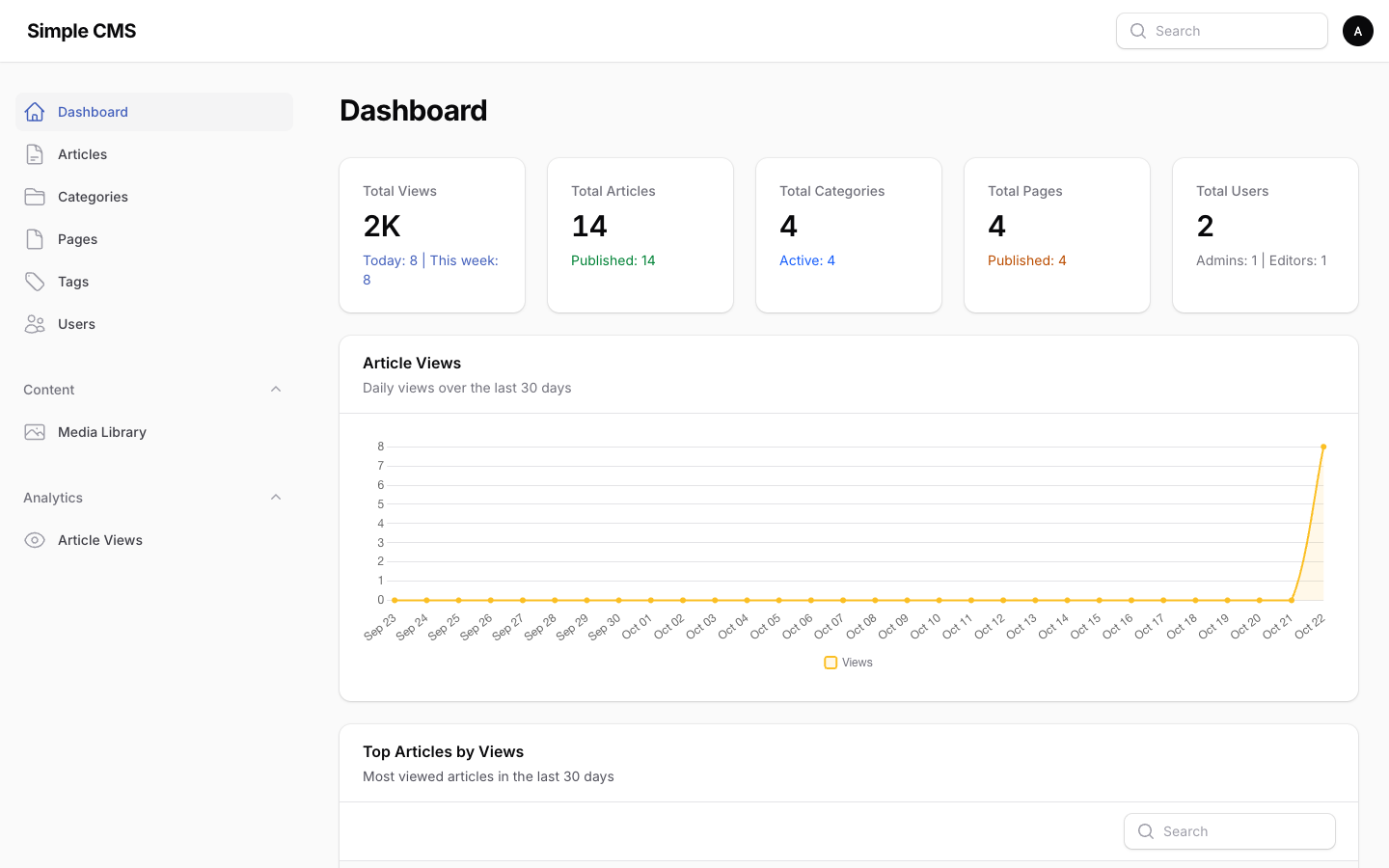
|
- PHP 8.4+
- Composer
- Node.js 20.19+ or 22.12+
- npm or yarn
git clone https://github.com/ozdemirburak/simple-cms.git
cd simple-cmscomposer installnpm installNote: This project ships an
.npmrcwithignore-scripts=trueto mitigate npm supply chain attacks.
cp .env.example .env
php artisan key:generateThe default configuration uses SQLite. The database file will be created automatically.
php artisan migrateOption A: Admin user only (minimal setup)
php artisan db:seedThis creates:
Admin user:
- Email:
admin@admin.com - Password:
password
Editor user:
- Email:
editor@editor.com - Password:
password
Option B: Admin user + Sample content
php artisan db:seed
php artisan db:seed --class=ContentSeeder
This adds sample categories, articles, and pages (Privacy Policy, Terms of Service, About, Contact).
Create the symbolic link for public storage (required for image uploads):
php artisan storage:linknpm run devFor production:
npm run buildphp artisan serveOr use Laravel Valet/Herd for a custom domain like cms.test.
Access the admin panel at /admin:
Admin login (full access):
- Email: admin@admin.com
- Password: password
Editor login (no user management):
- Email: editor@editor.com
- Password: password
Categories organize articles by topic. Each category has:
- Title and slug (the slug is filled from the title when you create it)
- Description
- Cover color (optional; used for article covers, otherwise a color is picked automatically)
- Active status (an inactive category has no public page and is not shown on articles)
Tags group articles across categories. Create them in Tags, or directly from the tag field of an article.
Each tag has a public page at /tag/{slug}.
Articles are the main content type. Each article has:
- Title, slug, excerpt and rich-text content
- Featured image (optional; without one, the article gets a typographic cover in its category color)
- Category and tags
- Publish switch and publish date
- SEO title and description (optional)
- View count tracking
Static pages for content like About, Contact or Privacy Policy. Each page has:
- Title, slug, excerpt and rich-text content
- Parent page (for a hierarchy; a page cannot be moved under one of its own children)
- Sort order (for navigation)
- Publish switch
- SEO title and description (optional)
- Draft, scheduled, published - An article is a draft until you switch on Is published. With an empty publish date it goes live immediately; with a future date it is scheduled. The article list shows the status as a badge and can filter by it.
- Preview - A draft or scheduled article or page has a Preview action. It opens a private link that works for one hour without a login, so you can send it to a reviewer. Search engines do not index it.
- View on site - A published record has a View on site action instead.
- Trash - Deleting an article or page moves it to the trash. Use the Trashed filter to find it and Restore to bring it back. Only admins can delete a record permanently.
- Changing a URL - When you change a slug, the old URL keeps working: it redirects (301) to the new one. On the edit form, changing the title does not change the slug, so live links do not break.
The CMS supports two user roles:
- Admin - Full access to all features including user management. Can see and manage all content regardless of ownership
- Editor - Can manage articles, categories, and pages (no user management). Can see and edit content they own plus orphaned content — records whose original owner was deleted, so they aren't permanently locked from anyone but admins
Content ownership is tracked via user_id on articles, pages, and media. The OwnerablePolicy and the shared BelongsToOwner trait (which adds a visibleTo() query scope to Article, Page, Media, and MediaItem) keep authorization and listing in sync — both follow the same own-or-orphan rule. Deleting a user preserves their content (ownership is set to null via nullOnDelete), and other editors can then take over those records (forceDelete stays admin-only).
The admin dashboard includes:
- Stats Overview - Total views, articles, categories, pages, and users
- Article Views Chart - Line chart showing daily views over 30 days
- Top Articles - Most viewed articles table
- Recent Articles - Latest article updates
All four widgets respect ownership scoping: editors see their own content (plus orphans), admins see everything. The "Total Users" stat is admin-only. Stats are cached per user for 60 seconds and invalidated automatically on relevant content changes or role updates.
- Articles - Articles with status badges, filters (status, category, tag, trash), preview and restore
- Categories - Categories with cover colors
- Pages - Static pages with preview and restore
- Tags - Tags with article counts
- Users - User management (admin only)
- Media Library - Browse and upload images (powered by Spatie Media Library)
- Article Views - Detailed view logs with filtering (under Analytics)
The search field at the top of the admin panel finds articles, pages, categories and tags.
The Media Library allows you to:
- Upload multiple images at once with drag & drop
- Reorder images before uploading
- Edit images (crop, rotate) using the built-in image editor
- View all uploaded images across the CMS
- Preview images with details (size, type, URL)
- Copy image URLs for use in content
- Filter by collection or model type
- Delete unused images
Images are stored in storage/app/public/ and managed by Spatie Media Library with Filament's plugin.
| Route | Description |
|---|---|
/ |
Home page: lead story, latest articles and topics |
/articles |
All articles, with category filters |
/article/{slug} |
Article page |
/category/{slug} |
Articles in a category |
/tag/{slug} |
Articles with a tag |
/page/{slug} |
Static page |
/search?q= |
Search in published articles (titles rank first) |
/feed |
RSS feed of the latest 20 articles |
/sitemap.xml |
XML sitemap of all public articles, pages, categories and tags |
/robots.txt |
Static file; add a Sitemap: line with your own domain |
/preview/article/{id}, /preview/page/{id} |
Private preview links, created from the admin panel |
Every page has a title, description and canonical URL, plus Open Graph and Twitter card tags for link
previews. Article pages also include structured data (schema.org BlogPosting). Set a custom SEO title and
description per article or page in the collapsed SEO section of the form; without them, the title and
excerpt are used.
This guide shows how to add a new resource (e.g., "Product") to the CMS.
php artisan make:model Product -mEdit the migration file in database/migrations/:
Schema::create('products', function (Blueprint $table) {
    $table->id();
    $table->string('title');
    $table->string('slug')->unique();
    $table->text('description')->nullable();
    $table->decimal('price', 10, 2);
    $table->boolean('is_active')->default(true);
    $table->timestamps();
});
Edit the model in app/Models/Product.php:
<?php

namespace App\Models;

use Illuminate\Database\Eloquent\Model;
use Illuminate\Support\Str;

class Product extends Model
{
    protected $fillable = [
        'title',
        'slug',
        'description',
        'price',
        'is_active',
    ];

    protected $casts = [
        'is_active' => 'boolean',
        'price' => 'decimal:2',
    ];

    // Auto-generate slug from title
    protected static function booted(): void
    {
        static::creating(function (Product $product) {
            if (empty($product->slug)) {
                $product->slug = Str::slug($product->title);
            }
        });
    }

    // Scope for active products
    public function scopeActive($query)
    {
        return $query->where('is_active', true);
    }
}
Run the migration:
php artisan migrateCreate the resource directory structure:
app/Filament/Resources/Products/
├── ProductResource.php
├── Pages/
│   ├── CreateProduct.php
│   ├── EditProduct.php
│   └── ListProducts.php
├── Schemas/
│   └── ProductForm.php
└── Tables/
    └── ProductsTable.php
ProductResource.php:
<?php

namespace App\Filament\Resources\Products;

use App\Filament\Resources\Products\Pages\CreateProduct;
use App\Filament\Resources\Products\Pages\EditProduct;
use App\Filament\Resources\Products\Pages\ListProducts;
use App\Filament\Resources\Products\Schemas\ProductForm;
use App\Filament\Resources\Products\Tables\ProductsTable;
use App\Models\Product;
use BackedEnum;
use Filament\Resources\Resource;
use Filament\Schemas\Schema;
use Filament\Support\Icons\Heroicon;
use Filament\Tables\Table;

class ProductResource extends Resource
{
    protected static ?string $model = Product::class;
    protected static string|BackedEnum|null $navigationIcon = Heroicon::OutlinedShoppingBag;

    public static function form(Schema $schema): Schema
    {
        return ProductForm::configure($schema);
    }

    public static function table(Table $table): Table
    {
        return ProductsTable::configure($table);
    }

    public static function getPages(): array
    {
        return [
            'index' => ListProducts::route('/'),
            'create' => CreateProduct::route('/create'),
            'edit' => EditProduct::route('/{record}/edit'),
        ];
    }
}
Schemas/ProductForm.php:
<?php

namespace App\Filament\Resources\Products\Schemas;

use Filament\Forms\Components\RichEditor;
use Filament\Forms\Components\TextInput;
use Filament\Forms\Components\Toggle;
use Filament\Schemas\Components\Section;
use Filament\Schemas\Schema;
use Illuminate\Support\Str;

class ProductForm
{
    public static function configure(Schema $schema): Schema
    {
        return $schema
            ->components([
                Section::make()
                    ->schema([
                        TextInput::make('title')
                            ->required()
                            ->maxLength(255)
                            ->live(onBlur: true)
                            ->afterStateUpdated(fn ($state, callable $set) => $set('slug', Str::slug($state))),
                        TextInput::make('slug')
                            ->required()
                            ->unique(ignoreRecord: true),
                        TextInput::make('price')
                            ->numeric()
                            ->prefix('$')
                            ->required(),
                        Toggle::make('is_active')
                            ->default(true),
                    ])
                    ->columns(2),
                Section::make()
                    ->schema([
                        RichEditor::make('description'),
                    ]),
            ]);
    }
}
Tables/ProductsTable.php:
<?php

namespace App\Filament\Resources\Products\Tables;

use Filament\Tables\Columns\IconColumn;
use Filament\Tables\Columns\TextColumn;
use Filament\Tables\Table;

class ProductsTable
{
    public static function configure(Table $table): Table
    {
        return $table
            ->columns([
                TextColumn::make('title')->searchable()->sortable(),
                TextColumn::make('price')->money('USD')->sortable(),
                IconColumn::make('is_active')->boolean(),
                TextColumn::make('created_at')->dateTime()->sortable(),
            ])
            ->defaultSort('created_at', 'desc');
    }
}
Pages/ListProducts.php, CreateProduct.php, EditProduct.php:
// ListProducts.php
<?php
namespace App\Filament\Resources\Products\Pages;

use App\Filament\Resources\Products\ProductResource;
use Filament\Resources\Pages\ListRecords;

class ListProducts extends ListRecords
{
    protected static string $resource = ProductResource::class;
}

// CreateProduct.php
<?php
namespace App\Filament\Resources\Products\Pages;

use App\Filament\Resources\Products\ProductResource;
use Filament\Resources\Pages\CreateRecord;

class CreateProduct extends CreateRecord
{
    protected static string $resource = ProductResource::class;
}

// EditProduct.php
<?php
namespace App\Filament\Resources\Products\Pages;

use App\Filament\Resources\Products\ProductResource;
use Filament\Actions\DeleteAction;
use Filament\Resources\Pages\EditRecord;

class EditProduct extends EditRecord
{
    protected static string $resource = ProductResource::class;

    protected function getHeaderActions(): array
    {
        return [DeleteAction::make()];
    }
}app/Http/Controllers/Frontend/ProductController.php:
<?php

namespace App\Http\Controllers\Frontend;

use App\Http\Controllers\Controller;
use App\Models\Product;

class ProductController extends Controller
{
    public function index()
    {
        $products = Product::active()->latest()->paginate(12);
        return view('frontend.products.index', compact('products'));
    }

    public function show(string $slug)
    {
        $product = Product::active()->where('slug', $slug)->firstOrFail();
        return view('frontend.products.show', compact('product'));
    }
}
routes/web.php - Add routes:
use App\Http\Controllers\Frontend\ProductController;

Route::get('/products', [ProductController::class, 'index'])->name('products.index');
Route::get('/product/{slug}', [ProductController::class, 'show'])->name('products.show');
resources/views/frontend/products/index.blade.php:
<x-layouts.app title="Products">
    <section class="container mx-auto px-6 py-12">
        <h1 class="font-display text-4xl font-semibold mb-8">Products</h1>
        <div class="grid md:grid-cols-3 gap-6">
            @foreach($products as $product)
                <a href="{{ route('products.show', $product->slug) }}" class="card border border-base-200 hover:border-primary">
                    <div class="card-body">
                        <h2 class="card-title">{{ $product->title }}</h2>
                        <p class="text-primary font-semibold">${{ $product->price }}</p>
                    </div>
                </a>
            @endforeach
        </div>
        {{ $products->links() }}
    </section>
</x-layouts.app>Add to lang/en/frontend.php:
'products' => [
    'title' => 'Products',
    'no_products' => 'No products found.',
],Component Namespaces:
// Layout components - use Schemas\Components
use Filament\Schemas\Components\Grid;
use Filament\Schemas\Components\Section;
use Filament\Schemas\Components\Tabs;

// Form input components - use Forms\Components
use Filament\Forms\Components\TextInput;
use Filament\Forms\Components\Select;
use Filament\Forms\Components\Toggle;
Property Types:
// Navigation icon uses BackedEnum
protected static string|BackedEnum|null $navigationIcon = Heroicon::OutlinedDocument;

// Navigation group uses UnitEnum
protected static string|\UnitEnum|null $navigationGroup = 'Content';
Widget Properties (instance, not static):
// CORRECT - instance properties
protected ?string $heading = 'Chart Title';
protected ?string $description = 'Description';
protected int|string|array $columnSpan = 'full';

// WRONG - do NOT use static for these
// protected static ?string $heading = 'Title';The frontend has two DaisyUI themes in resources/css/app.css: paper (light, default) and ink
(dark, used automatically when the visitor's device is in dark mode):
@plugin "daisyui/theme" {
  name: "paper";
  default: true;
  color-scheme: light;

  --color-primary: #2a44d4;
  /* ... other colors */
}
Articles without a featured image get a typographic cover in their category's color. Pick the color per
category in the admin (Categories → Cover color); without a choice, a color from Category::PALETTE is used.
The frontend uses two typefaces, both free under the SIL Open Font License:
| Typeface | Used for |
|---|---|
| Schibsted Grotesk | Headings, navigation and interface text |
| Source Serif 4 | Article and page body text |
They load from Bunny Fonts, an independent font service by bunny.net. It hosts the same open-source font library as Google Fonts and uses a compatible URL format, so it works as a drop-in replacement. Bunny states that it does no tracking and keeps no logs of visitors, which makes it the safer choice for GDPR than loading fonts from Google.
- The stylesheet link is in
resources/views/components/layouts/app.blade.php. - The Content Security Policy in
app/Http/Middleware/SecurityHeaders.phpallowshttps://fonts.bunny.netinstyle-srcandfont-src. If you change the font host, update both places. - The admin panel does not use these fonts. Filament serves its own copy of Inter from your server.
The frontend uses Blade Lucide Icons for consistent iconography:
<x-lucide-arrow-right class="w-4 h-4" />
<x-lucide-newspaper class="w-10 h-10 text-base-content/30" />
<x-lucide-map-pin class="h-5 w-5 text-primary" />
Browse available icons at lucide.dev.
The site name is a plain text wordmark. The favicon is an "S" monogram in public/favicon.svg, with
public/favicon.png (192×192) as a fallback, both wired up in resources/views/components/layouts/app.blade.php.
For a full icon set (multiple PNG sizes, web manifest), generate one at https://ozdemir.dev/favicon-generator/.
All frontend text uses Laravel's localization system. Strings are stored in lang/en/frontend.php.
To add a new language:
- Create a new directory:
lang/fr/ - Copy
lang/en/frontend.phptolang/fr/frontend.php - Translate the strings
- Set
APP_LOCALE=frin.env
├── app/
│   ├── Filament/
│   │   ├── Actions/           # Shared admin actions (View on site / Preview)
│   │   ├── AvatarProviders/   # Local initials avatars for the admin panel
│   │   ├── Resources/         # Admin resources (Articles, Categories, Pages, Tags, Users, Media)
│   │   ├── Schemas/           # Shared form fields (SEO)
│   │   └── Widgets/           # Dashboard widgets
│   ├── Http/
│   │   ├── Controllers/Frontend/  # Public site controllers
│   │   └── Middleware/            # Security headers
│   ├── Models/                # Eloquent models
│   │   └── Concerns/          # Shared model traits (ownership, unique slugs, slug redirects)
│   └── Policies/              # Authorization
├── database/
│   ├── migrations/
│   └── seeders/
├── resources/
│   ├── css/app.css            # Tailwind, DaisyUI themes and cover styles
│   └── views/
│       ├── components/        # Layout, cover, article card, page header, pagination
│       ├── feeds/             # RSS feed and sitemap
│       └── frontend/          # Public pages
└── routes/web.php
| File | Purpose |
|---|---|
app/Models/Article.php |
Article model: published scope, search, status, related articles |
app/Models/Category.php |
Category model and cover colors |
app/Models/Page.php |
Page model with hierarchy |
app/Models/Tag.php |
Tag model |
app/Models/Concerns/HasSlugRedirects.php |
Keeps old slugs so old links redirect |
app/Policies/OwnerablePolicy.php |
Who may view, edit, delete and restore content |
app/Http/Middleware/SecurityHeaders.php |
Content Security Policy and other security headers |
app/Http/Controllers/Frontend/FeedController.php |
RSS feed and sitemap |
resources/views/components/layouts/app.blade.php |
Main layout with SEO tags |
resources/views/components/cover.blade.php |
Typographic article cover |
resources/css/app.css |
Themes and styles |
lang/en/frontend.php |
Frontend text (fully internationalized) |
database/seeders/ContentSeeder.php |
Sample content, tags and view data |
Run the test suite (Pest 5 on PHPUnit 13):
./vendor/bin/pestThe tests cover:
- Models - Slugs, sanitization, view tracking, ownership scopes, publishing status, cover colors
- Admin panel - CRUD for every resource, role permissions, trash and restore, preview links
- Frontend - All public routes, search, tags, redirects from old slugs, feeds and sitemap, SEO tags
- Security - Headers and CSP, XSS sanitization, rate limiting, upload rules, authorization
# Development
php artisan serve              # Start development server
npm run dev                    # Start Vite dev server

# Database
php artisan migrate            # Run migrations
php artisan migrate:fresh      # Fresh migration (drops all tables)
php artisan db:seed            # Seed admin and editor users
php artisan db:seed --class=ContentSeeder  # Seed sample content

# Testing
./vendor/bin/pest              # Run all tests
./vendor/bin/pest --filter=TestName  # Run specific test

# Production
npm run build                  # Build assets for production
php artisan optimize # Cache config, routes, viewsSimple CMS is open-source software licensed under the MIT license.