

SAUL is the SeismoAcoustic Utilities Library. It's my take on the collection of tools that I imagine exist, in some form, on every seismoacoustican's computer — utilities for gathering waveform data, plotting waveforms in the time and frequency domain, visualizing key metadata such as station locations, et cetera. The goal of SAUL is to make these fundamental data exploration tools as easy-to-use as possible. Thus, priority is placed upon straightforward (e.g., easily memorized) commands and time-saving helper functions — while attempting to leverage existing dependencies as much as possible to avoid duplicated effort.
🚧 Disclaimer 🚧
As a workhorse "everyday tools" repository, SAUL is currently (perpetually?) under rapid development. Expect to encounter breaking changes after agit pullupdate!
SAUL is primarily developed on macOS, but it ought to work on Linux — and Windows via Windows Subsystem for Linux (WSL).
This assumes that you've already installed uv, and that you've navigated to a target directory of your choosing:
uv venv --python 3.11
uv pip install saul
This creates a .venv/ folder in the target directory with SAUL and its dependencies
installed.
If you'd rather install SAUL into an existing, e.g.,
mamba environment instead of
using uv, activate that environment and use pip directly:
pip install saulSAUL works best in an interactive Python console, which is why IPython is included as a dependency. There are multiple options for launching IPython with SAUL available. You can run IPython directly:
<target_directory>/.venv/bin/ipythonWhere <target_directory> is the path to the directory in which you installed SAUL. If
you're already in that directory, you can also just run:
uv run ipythonFinally, you can activate the virtual environment and launch IPython directly, via (for example):
source <target_directory>/.venv/bin/activate.fish  # Other shells have different scripts
ipython
Here's a simple usage example which highlights SAUL's object-oriented interface:
from saul import PSD, Stream

st = Stream.from_earthscope('AK', 'HOM', 'BDF', (2023, 9, 1, 0, 5), (2023, 9, 1, 0, 15))
st.detrend().taper(0.05).remove_response()  # SAUL Stream objects behave like ObsPy's
PSD(st, method='multitaper').plot(show_noise_models=True)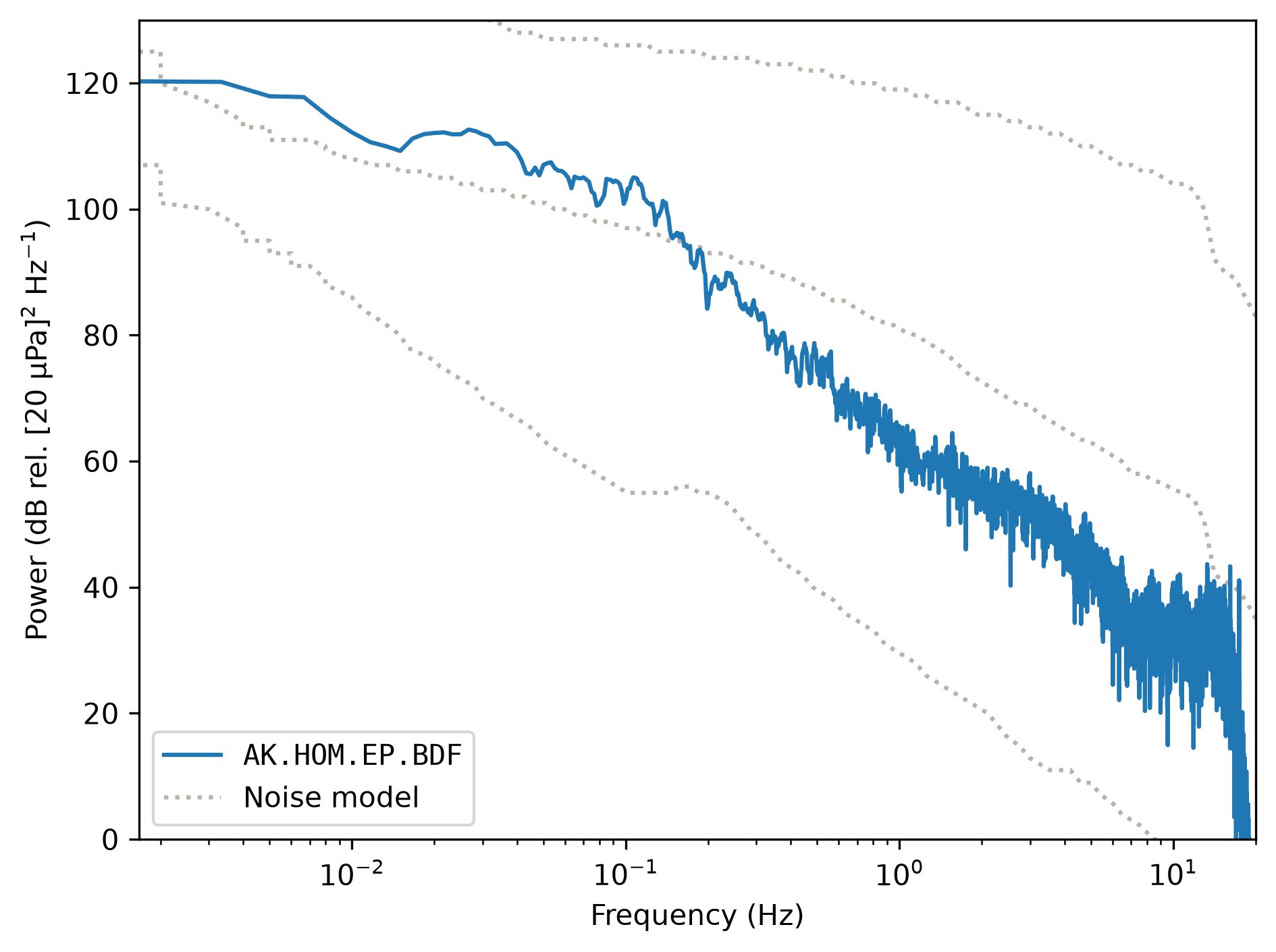
For detailed usage information, see the API documentation.
To develop SAUL, first clone this repository and navigate to the root directory. Then run:
uv sync --all-groupsThis creates a .venv/ folder in the repository root with an editable SAUL and all of
its dependencies — including those for development and documentation — installed. You
can run IPython with SAUL in the same way as described above, but from anywhere:
uv run --project <repository_root> ipythonWhere <repository_root> is the path to the root of the SAUL repository. You can view
the various developer tasks available with uv run poe.
SAUL uses the CalVer versioning convention with the format
YY.M.D (UTC time zone). E.g., SAUL version 26.10.9 was released on October 9th,
2026 (UTC).