
Calculator Application (C++/CLI Windows Forms
Overview
This project is a Windows Form Calculator built using C++/CLI in Visual Studio.
The Calculato allows users to perform basic arithmetic operations through a graphical user interface rather than a console application. The projects was created to strengthen my understanding of:
- Event-driven programming
- Windows Form development
- C++ syntax and logic
- GUI design
- Input Validation
Features
- ➕ Addition
- ➖ Subtraction
- ✖️ Multiplication
- ➗ Division
- 🔢 Decimal number support
- ± Positive/Negative toggle
- 📊 Percentage calculations
- 🧹 Clear (C)
- 🗑️ Clear Entry (CE)
- 💾 Answer (ANS) button framework
- 🖥️ Windows Forms graphical interface
Technologies Used
- C++
- C++/CLI
- Windows Forms
- Microsoft Visual Studio
What I learned Through this project I learned how to:
- Create Windows Forms application
- Connect button using even handlers
- Store and manipulate user input
- Implement calculator logic
- Debug and test GUI applications
- Organize code into multiple files
Future Improvements
- Add memory functions (M+, M-, MR, MC)
- Improve error handling
- Complete ANS recall functionality
- Add keyboard support
- Improve calculator design and styling
- Add scientific calcuator functions
Screenshots
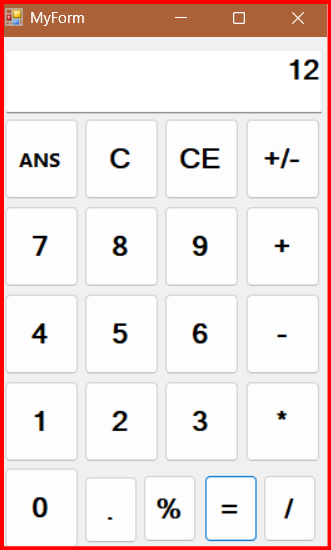
Author
Cheryl Kah
Student at Tarrant County College
Aspiring IT Professional and Software Developer
License
This Project is available for eduational and portfolio purposes.